
Schedchie in Grok BotAutomation
Your Grok Bot drafts the TikTok replies. Schedchie posts the ones you approve.
A Grok Bot works TikTok through Schedchie’s MCP server on a routine: each morning it reads the comments on your latest videos with get_live_post_comments, drafts replies for your yes and posts them with reply_to_live_post, and schedules new videos at a visibility get_tiktok_creator_info allows. Schedchie is a flat-price social media scheduler for 20 platforms: Pro is €9.99 a month, with MCP included.
- Reading and replying to TikTok comments needs the account’s TikTok Business connection; a reply holds up to 1,200 characters.
- A reply goes out publicly the moment it succeeds, so the routine shows you the drafts first.
- Grok Bot comes with Premium, Super and Ultra on The X Subscription. Add Schedchie inside Grok Bot: Grok, the chat app, is a different app.
14-day free trialCancel anytime, no questions asked
Ask Grok Bot
“Every morning at 8:00, read the new comments on my last three TikToks, draft replies to the questions and show them to me. Post the ones I approve.”
What Grok Bot calls
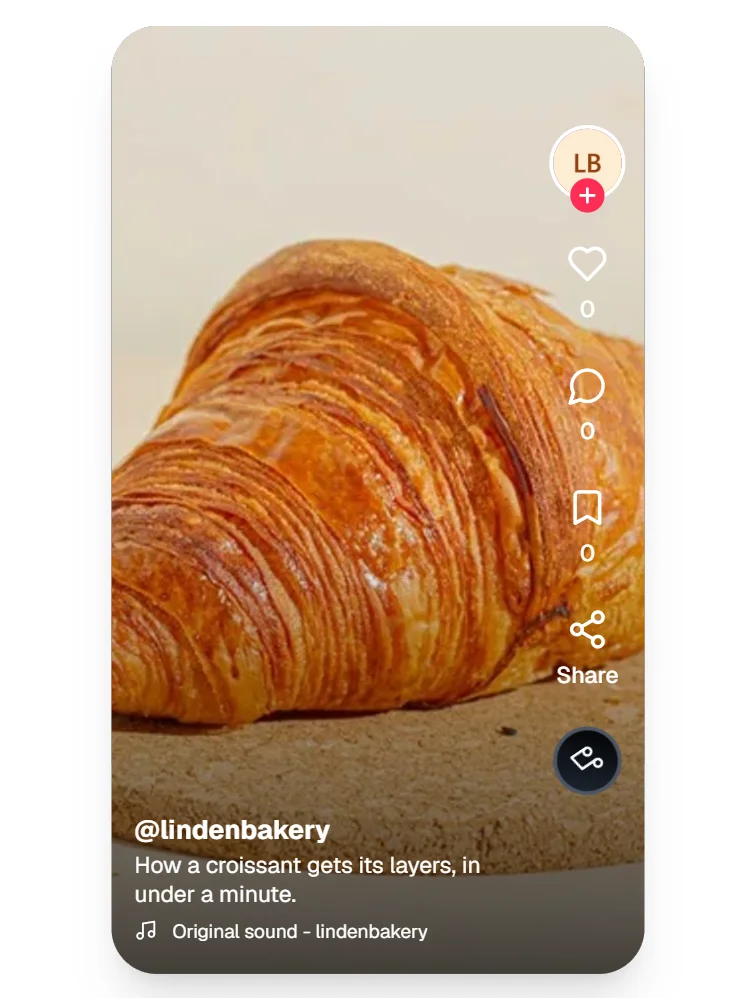
Each morning the Bot reads new comments on the last three videos and posts the replies you approve.
- list_live_posts
- The account’s videos as TikTok lists them, with the platform’s own numbers.
- get_live_post_comments
- The thread on each video, read as the account, with replies nested.
- reply_to_live_post
- Posts each approved reply under the comment it answers, as the account.
TikTok through Grok Bot
2,200-character descriptions
- Post types
- One video, or a photo post of up to 35 images. A photo post takes a title of up to 90 characters (tiktok_title); a video has none.
- Visibility
- tiktok_privacyStatus on every post, and by TikTok’s rules the creator’s own pick: Public, Followers, Friends or Only me, as the account allows.
- Cover
- A frame of the video, picked by timestamp (cover.offsetMs).
- AI label
- tiktok_is_aigc on videos. TikTok has no AI label for photo posts.
- Disclosure
- tiktok_commercial_content_disclosure with Your Brand (tiktok_brand_organic_toggle) or Branded Content (tiktok_brand_content_toggle). TikTok forbids a private branded post.
- Interactions
- tiktok_disable_comment, tiktok_disable_duet and tiktok_disable_stitch per post. A switch the account has turned off stays off.
- First comment
- tiktok_first_comment, up to 1,200 characters, once TikTok makes the post public. Business connection only, never on Followers, Friends or Only me.
- Files from Grok Bot
- By upload link: request_media_upload hands you a page to pick the file on any device, up to 200 MB and 15 minutes a video. A public link works too, through upload_media.
- Analytics
- Followers, profile and video views, likes, comments and shares, followers gained and lost by day, audience by age, gender and location, and per-video reach, watch time and retention. Grok Bot reads them with get_account_analytics, and get_best_times turns the account’s history into a weekday-by-hour grid.
The edges of this route
Where a TikTok job from Grok Bot goes another way, and which way.
- Grok chat is a different app
- Grok, the chat app, and Grok Bot are two different apps. Add Schedchie inside Grok Bot: ask a Bot to add the Schedchie MCP server by URL.
- When TikTok slows down
- If TikTok rate-limits the account, get_live_post_comments says so with a retryAfter in seconds, and the routine waits it out.
- Older connections
- A TikTok account on the older connection lists only the posts Schedchie published, and its comments need the business sign-in.
Setting up Grok Bot
Ask a Grok Bot to add the Schedchie MCP server by URL and sign in once. Your Bots then schedule posts around the clock, on the jobs you give them.
Requirements
- Access
- Grok Bot comes with Premium, Super and Ultra on The X Subscription (not Plus or Free) and legacy Cursor Pro, Pro+, Ultra and self-serve Teams. On Cursor Enterprise an admin enables it, and a team’s connector policy can block an app (Disabled by team admin). The desktop app runs on macOS, Windows and Linux, with companion apps on iOS and Android.
Grok BotPrompt
Ask a Bot to add Schedchie
In a Grok Bot chat, ask it to add the Schedchie MCP server by URL.
PromptAdd the MCP server https://mcp.schedchie.com/mcp as an app named Schedchie.
- SchedchieSign-in
Sign in to Schedchie
- Connect
- Authorize
When the Bot shows a Connect card or asks you to Authorize, finish the Schedchie sign-in in your browser and tick what your Bots may use. If it stalls, choose Reopen on the card.
Grok BotTurn on
Check it is installed
- Connect apps
- Installed
Open Connect apps in the sidebar (on mobile, your avatar, then Connect apps) and confirm Schedchie is under Installed. Apps are account-wide, so every Bot you run can use it.
Grok BotPrompt
Give a Bot the job
- @
- Schedchie
Type @ to attach Schedchie to the task and say what to post and when, such as a LinkedIn and a Bluesky post for each new blog post.

Official docs: docs.x.ai/grok-bot/computer-and-apps
Three TikTok prompts for Grok Bot, with the tools they call
Every morning at 8:00, read the new comments on my last three TikToks, draft replies to the questions and show them to me. Post the ones I approve.
list_live_posts, get_live_post_comments, reply_to_live_postWhen I send a video link, check which visibility my account allows, ask me, then schedule it for 19:00 with the AI label.
get_tiktok_creator_info, upload_media, schedule_postEvery Monday, list last week’s TikToks by watch time.
get_account_analytics
TikTok from Grok Bot
Can a Grok Bot reply to TikTok comments?
Yes, on an account with the TikTok Business connection: get_live_post_comments reads them and reply_to_live_post answers, up to 1,200 characters.
Will the Bot post replies without asking?
reply_to_live_post publishes at once and cannot be undone from the chat. Give the routine the rule to show you each draft first, as in the prompt above.
Can the same Bot schedule TikTok videos?
Yes. It reads the allowed visibility levels with get_tiktok_creator_info, asks you, and schedules with schedule_post, AI label included on videos.
Are there limits?
Each connection can make up to 120 tool calls a minute. On Pro it gets 300 tool calls an hour, plus 30 session opens that make no call; on Ultra four times that, 1,200 calls and 120 opens.
14 days on your own accounts, then €9.99 a month
The assistant connection is included on every plan and in the trial.
Start free trial14-day free trialCancel anytime, no questions asked



Grok Bot and its logo belong to xAI. Schedchie is not affiliated with or endorsed by xAI.
Compare
- Schedchie vs Buffer
- Schedchie vs Hootsuite
- Schedchie vs Later
- Schedchie vs Metricool
- Schedchie vs Typefully
- Schedchie vs Postiz
- Schedchie vs Publer
- Schedchie vs SocialBee
- Schedchie vs Planable
- Buffer-Alternative (DE)
- Hootsuite-Alternative (DE)
- Later-Alternative (DE)
- Postiz-Alternative (DE)
- All alternatives
- The cheapest social media scheduler
- The best social media scheduler
- The AI social media scheduler
Platforms
- Instagram scheduler
- Facebook scheduler
- TikTok scheduler
- LinkedIn scheduler
- Pinterest scheduler
- YouTube scheduler
- Threads scheduler
- Bluesky scheduler
- Mastodon scheduler
- Telegram scheduler
- Google Business Profile scheduler
- Discord scheduler
- Dev.to scheduler
- Hashnode scheduler
- Slack scheduler
- WordPress scheduler
- Listmonk scheduler
- Ghost scheduler
- Pixelfed scheduler
- X (Twitter) scheduler