

Schedchie in ChatGPTChat
ChatGPT writes the TikTok caption. Schedchie posts it with the AI label set.
ChatGPT schedules TikTok videos and photo posts through Schedchie, added as a custom MCP plugin: you name the visibility, upload_media fetches the video from a link, and schedule_post sets the cover frame, the AI label and the duet and stitch switches. Schedchie is a flat-price social media scheduler for 20 platforms: Pro is €9.99 a month, with MCP included.
- Say the visibility in your message. TikTok makes it the creator’s own choice, and ChatGPT’s set has no creator-info read to list what your account allows.
- tiktok_is_aigc labels an AI-made video; tiktok_disable_duet and tiktok_disable_stitch go per post.
- Scheduling through the plugin needs ChatGPT Business, Enterprise or Edu; on ChatGPT Pro the plugin reads and fetches only.
14-day free trialCancel anytime, no questions asked
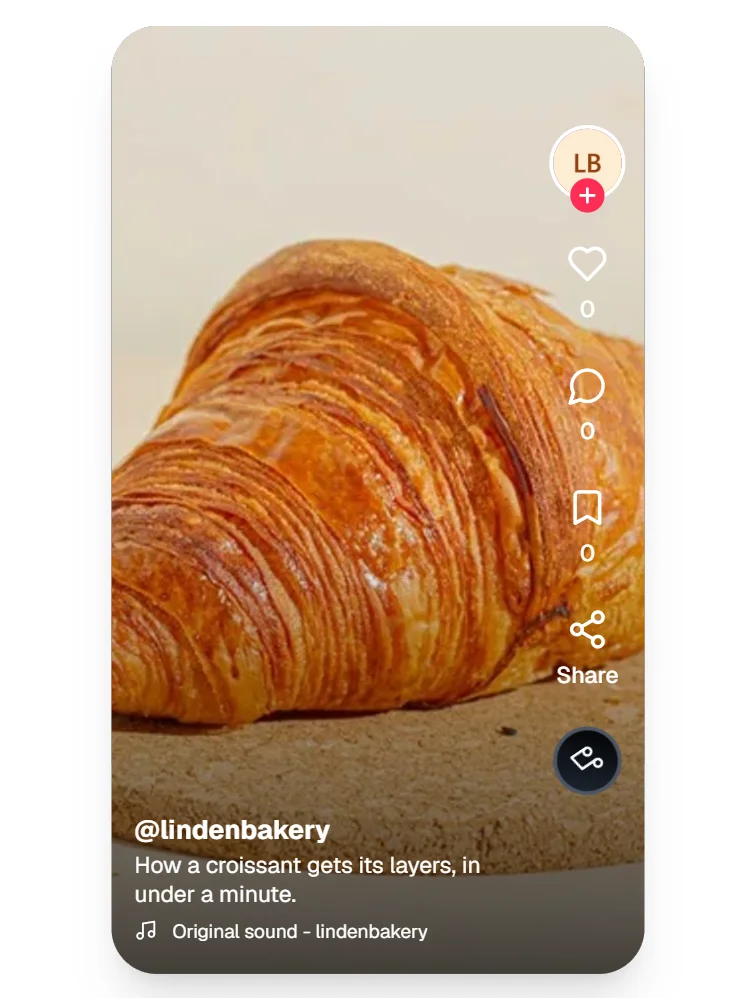
Ask ChatGPT
“Schedule this video to TikTok, public, Thursday 19:00: https://example.com/clip.mp4. It is AI-generated, so label it. Cover from the frame at 1.5 seconds, no duets.”
What ChatGPT calls
A video link becomes a public, AI-labelled TikTok with a chosen cover frame and duets off.
- upload_media
- Fetches the clip from the link, up to 200 MB.
- schedule_post
- tiktok_privacyStatus PUBLIC_TO_EVERYONE from your words, tiktok_is_aigc true, tiktok_disable_duet true, and cover.offsetMs 1500 on the video.
- Your confirmation
- ChatGPT asks you to confirm the write before it runs.
- Thursday 19:00
- Schedchie waits for TikTok’s processing verdict, not only the upload, before it reports the post published.
TikTok through ChatGPT
2,200-character descriptions
- Post types
- One video, or a photo post of up to 35 images. A photo post takes a title of up to 90 characters (tiktok_title); a video has none.
- Visibility
- tiktok_privacyStatus on every post, and by TikTok’s rules the creator’s own pick: Public, Followers, Friends or Only me, as the account allows.
- Cover
- A frame of the video, picked by timestamp (cover.offsetMs).
- AI label
- tiktok_is_aigc on videos. TikTok has no AI label for photo posts.
- Disclosure
- tiktok_commercial_content_disclosure with Your Brand (tiktok_brand_organic_toggle) or Branded Content (tiktok_brand_content_toggle). TikTok forbids a private branded post.
- Interactions
- tiktok_disable_comment, tiktok_disable_duet and tiktok_disable_stitch per post. A switch the account has turned off stays off.
- First comment
- tiktok_first_comment, up to 1,200 characters, once TikTok makes the post public. Business connection only, never on Followers, Friends or Only me.
- Files from ChatGPT
- By public https link, or a Google Drive file shared with Anyone with the link: upload_media fetches it on Schedchie’s side, up to 200 MB, and the file never passes through the chat. An image under 5 MB can also go inline.
- Analytics
- Followers, profile and video views, likes, comments and shares, followers gained and lost by day, audience by age, gender and location, and per-video reach, watch time and retention. ChatGPT reads them with get_account_analytics (any date range, a per-post table) and get_analytics_summary.
The edges of this route
Where a TikTok job from ChatGPT goes another way, and which way.
- The levels your account allows
- get_tiktok_creator_info is not among ChatGPT’s 14. The web composer and Claude read your allowed visibility levels from TikTok before you post.
- A licensed track
- Choosing a Commercial Music Library track needs lookup_platform_options, outside ChatGPT’s set. A photo post can still take TikTok’s recommended music with tiktok_auto_add_music.
- Comment replies
- In the dashboard’s Live view, with the business sign-in.
Setting up ChatGPT
Add Schedchie to ChatGPT as a custom MCP plugin and sign in once. Any chat can then use the plugin’s 14 tools, from schedule_post and edit_post to retry_post, on your connected accounts.
Requirements
- Plans
- Business and Enterprise/Edu get custom MCP servers in full, including write actions such as scheduling; Pro gets read and fetch only. Workspace permissions and Lockdown apply.
ChatGPTAdd
Open Plugins and add a custom server
- Plugins
- +
- Add custom MCP server
On ChatGPT on the web, go to Plugins, select the plus button, then Add custom MCP server.
ChatGPTPaste
Name it and paste the URL
- Connection
- Server URL
Name: Schedchie, with a short description if you like. Under Connection, paste the address below as the Server URL.
Server URLhttps://mcp.schedchie.com/mcp
ChatGPTConfig
Choose OAuth and create the plugin
- OAuth
- I understand and want to continue
- Create as a plugin
Set authentication to OAuth and leave the client credentials empty, since ChatGPT registers itself with Schedchie. Select I understand and want to continue, then Create as a plugin.
- SchedchieSign-in
Install it and sign in
Find Schedchie in your personal plugins and install it. On the Schedchie screen, tick the groups this connection may use and sign in.
ChatGPTPrompt
Call it in a chat
- @
- Schedchie
In the prompt box type @, select Schedchie and ask for your connected accounts. ChatGPT asks you to confirm write actions such as scheduling a post.
ChatGPT gets a 14-tool core set: scheduling, editing, retries, media, approvals and two analytics reads.
Official docs: developers.openai.com/plugins/deploy/connect-chatgpt
Three TikTok prompts for ChatGPT, with the tools they call
Schedule this video to TikTok, public, Thursday 19:00: https://example.com/clip.mp4. It is AI-generated, so label it. Cover from the frame at 1.5 seconds, no duets.
list_accounts, upload_media, schedule_postMake a TikTok photo post from these 12 image links titled “Twelve breads, one oven”, visible to followers.
upload_media, schedule_postWhich TikTok videos had the best watch time last month?
get_account_analytics
TikTok from ChatGPT
Why does ChatGPT ask me which TikTok visibility to use?
TikTok’s rules make the visibility the creator’s own pick, so a TikTok post without tiktok_privacyStatus is refused (a video on a TikTok Business account may take the account’s own setting instead). Say Public, Followers, Friends or Only me in your message.
Can ChatGPT label a TikTok as AI-generated?
Yes, on videos: tiktok_is_aigc true. TikTok has no AI label for photo posts, so on those say it in the caption.
How many photos fit in a TikTok photo post from ChatGPT?
Up to 35, each fetched by upload_media from its own link. The title goes in tiktok_title, up to 90 characters.
Are there limits?
Each connection can make up to 120 tool calls a minute. On Pro it gets 300 tool calls an hour, plus 30 session opens that make no call; on Ultra four times that, 1,200 calls and 120 opens.
14 days on your own accounts, then €9.99 a month
The assistant connection is included on every plan and in the trial.
Start free trial14-day free trialCancel anytime, no questions asked



ChatGPT and its logo belong to OpenAI. Schedchie is not affiliated with or endorsed by OpenAI.
Compare
- Schedchie vs Buffer
- Schedchie vs Hootsuite
- Schedchie vs Later
- Schedchie vs Metricool
- Schedchie vs Typefully
- Schedchie vs Postiz
- Schedchie vs Publer
- Schedchie vs SocialBee
- Schedchie vs Planable
- Buffer-Alternative (DE)
- Hootsuite-Alternative (DE)
- Later-Alternative (DE)
- Postiz-Alternative (DE)
- All alternatives
- The cheapest social media scheduler
- The best social media scheduler
- The AI social media scheduler
Platforms
- Instagram scheduler
- Facebook scheduler
- TikTok scheduler
- LinkedIn scheduler
- Pinterest scheduler
- YouTube scheduler
- Threads scheduler
- Bluesky scheduler
- Mastodon scheduler
- Telegram scheduler
- Google Business Profile scheduler
- Discord scheduler
- Dev.to scheduler
- Hashnode scheduler
- Slack scheduler
- WordPress scheduler
- Listmonk scheduler
- Ghost scheduler
- Pixelfed scheduler
- X (Twitter) scheduler