
Schedchie in ClaudeChat
Claude writes the LinkedIn post. Schedchie times it from your page’s history.
Claude schedules LinkedIn posts, polls, image posts, video and link posts to your profile and company pages through the Schedchie connector, picks the hour from the account’s own post history with get_best_times, and reads each post’s engagement back. Schedchie is a flat-price social media scheduler for 20 platforms: Pro is €9.99 a month, with MCP included.
- get_best_times returns up to 180 days of the account’s posts by weekday and hour, with medians to compare.
- list_linkedin_live_posts and get_linkedin_post_engagement read reactions and comments per post.
- Every Claude plan takes the connector, Free included, where it is your one custom connector.
14-day free trialCancel anytime, no questions asked
Ask Claude
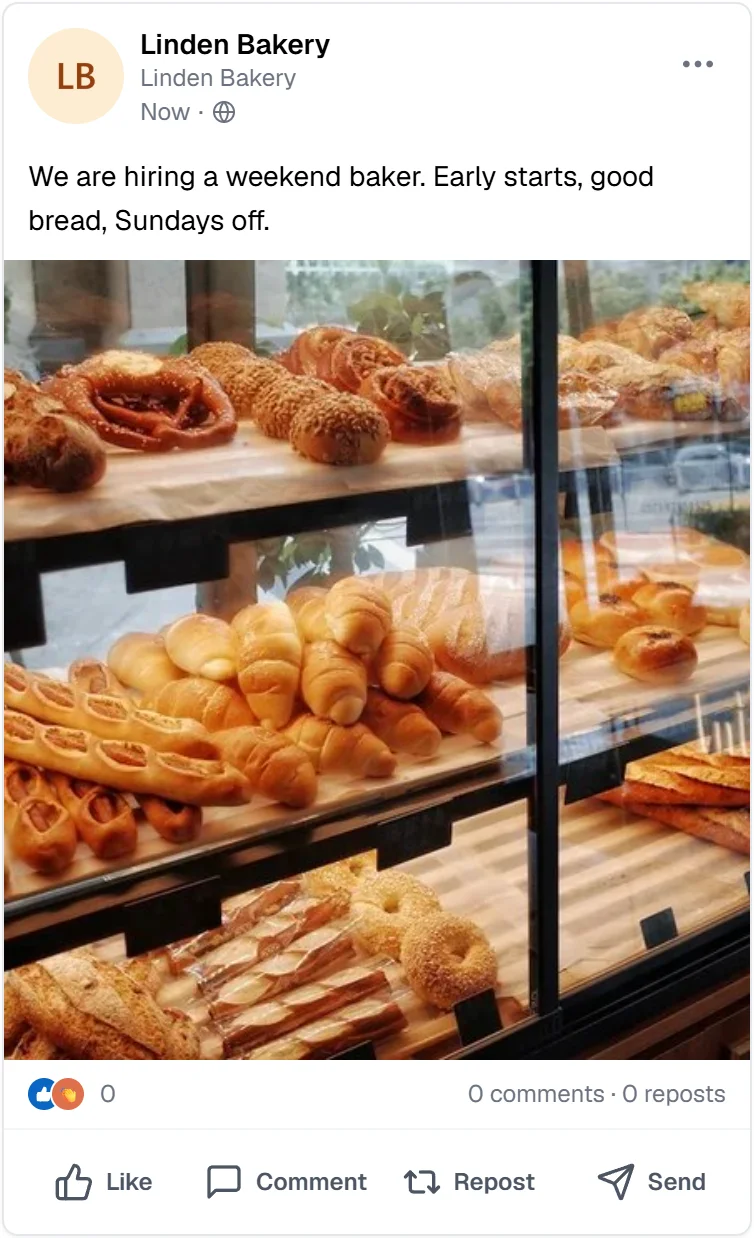
“Find the best weekday hour for the company page from its history, then schedule the hiring post there with a first comment linking the job page.”
What Claude calls
The page’s own history picks the slot; the hiring post and its link comment go out in it.
- get_best_times
- Buckets the page’s posts by weekday and hour in your timezone. Below the minimum sample it says there is too little to point at a slot.
- schedule_post
- scheduledTime at that slot and linkedin_first_comment with the job link, up to 1,250 characters.
- At the slot
- The post goes up with its comment. LinkedIn credentials are renewed ahead of time, as they are for every LinkedIn post.
LinkedIn through Claude
3,000-character posts
- Accounts
- Your profile and every company page you administer, each its own account from one LinkedIn login.
- Post types
- Text, up to 9 images, one video, a link with your own title and description (linkedin_link, linkedin_title, linkedin_description), or a poll.
- Poll
- linkedin_contentType POLL with linkedin_poll: a question, 2 to 4 options and a duration of one day, three days, one week or two weeks.
- Visibility
- linkedin_visibility PUBLIC or CONNECTIONS, and linkedin_disableResharing per post.
- Alt text
- One per image (linkedin_alt_texts), or one linkedin_alt_text for every image of the post.
- First comment
- linkedin_first_comment, up to 1,250 characters, posted the moment the post goes out.
- Files from Claude
- By upload link: request_media_upload hands you a page to pick the file on any device, up to 200 MB and 15 minutes a video. A public link works too, through upload_media.
- Analytics
- Profiles: impressions, reach, reactions, comments, reposts, link clicks and followers by day. Company pages: followers with demographics, page views and engagement on every post, including ones made outside Schedchie. Claude reads them with get_account_analytics and get_platform_analytics, and get_best_times turns the account’s history into a weekday-by-hour grid.
The edges of this route
Where a LinkedIn job from Claude goes another way, and which way.
- PDF document posts
- The upload tools take images and video. A PDF, Word or PowerPoint document post is scheduled in the web composer.
- Posts made outside Schedchie
- On a personal profile LinkedIn lets Schedchie see only the posts it published; a company page lists every post.
- Alt text per image
- linkedin_alt_texts describes each image in order; one linkedin_alt_text covers them all.
Setting up Claude
Add Schedchie as a custom connector on claude.ai and sign in once. Claude then has up to 75 tools on your connected accounts, from schedule_posts to get_analytics_summary.
Requirements
- Who can add it
- Free, Pro, Max, Ultra, Team and Enterprise; Free allows one custom connector. On Team an Owner or Primary Owner adds it under Organization settings, Connectors (on Enterprise also a custom role with Manage access to Libraries), and members then click Connect.
ClaudeAdd
Open Customize, Connectors
- Customize
- Connectors
- + Add
- Add custom connector
On claude.ai, go to Customize, then Connectors. Click + Add, then Add custom connector.
ClaudePaste
Name it and paste the URL
- Name
- MCP server URL
- Continue
- Continue
Name: Schedchie. Paste the address below as the MCP server URL and click Continue, then Continue again on the detected settings.
Server URLhttps://mcp.schedchie.com/mcp
ClaudeConfig
Choose the sign-in settings
- Authentication
- Sign in now
- OAuth client
- Register automatically
- Add
Under Authentication choose Sign in now, and under OAuth client choose Register automatically, so Claude registers itself with Schedchie. Leave Request headers empty and click Add.
- SchedchieSign-in
Connect and sign in to Schedchie
- Connect
- +
- Connectors
Click Connect on the Schedchie connector, tick the groups this connection may use on the Schedchie screen and sign in. In a chat, click +, then Connectors, and switch Schedchie on.
ClaudeAdmin
On Team or Enterprise
- Organization settings
- Connectors
- Add
- Custom
- Web
An Owner adds it under Organization settings, Connectors: Add, Custom, Web, the same URL and settings, then Add. Each member then clicks Connect on it under Customize, Connectors.
Official docs: claude.com/docs/connectors/custom/add-unlisted
Three LinkedIn prompts for Claude, with the tools they call
Find the best weekday hour for the company page from its history, then schedule the hiring post there with a first comment linking the job page.
get_best_times, schedule_postPost these 9 photos from the offsite to my profile, connections only, with alt text.
request_media_upload, get_media_status, schedule_postWhich company page posts this quarter got the most comments?
list_linkedin_live_posts, get_linkedin_post_engagement
LinkedIn from Claude
Can Claude pick the best time to post on LinkedIn?
It reads the account’s own history with get_best_times: up to 180 days of posts by weekday and hour, with medians. It is your posts’ record, not data on when members are online.
Can Claude post to a LinkedIn company page?
Yes. One LinkedIn login connects your profile and every page you administer, each as its own account Claude can post to.
Can Claude schedule a LinkedIn document post?
Not over MCP: the upload tools take images and video. Schedule the document in the web composer, where PDF, Word and PowerPoint files publish as LinkedIn’s document format.
Are there limits?
Each connection can make up to 120 tool calls a minute. On Pro it gets 300 tool calls an hour, plus 30 session opens that make no call; on Ultra four times that, 1,200 calls and 120 opens.
14 days on your own accounts, then €9.99 a month
The assistant connection is included on every plan and in the trial.
Start free trial14-day free trialCancel anytime, no questions asked



Claude and its logo belong to Anthropic. Schedchie is not affiliated with or endorsed by Anthropic.
Compare
- Schedchie vs Buffer
- Schedchie vs Hootsuite
- Schedchie vs Later
- Schedchie vs Metricool
- Schedchie vs Typefully
- Schedchie vs Postiz
- Schedchie vs Publer
- Schedchie vs SocialBee
- Schedchie vs Planable
- Buffer-Alternative (DE)
- Hootsuite-Alternative (DE)
- Later-Alternative (DE)
- Postiz-Alternative (DE)
- All alternatives
- The cheapest social media scheduler
- The best social media scheduler
- The AI social media scheduler
Platforms
- Instagram scheduler
- Facebook scheduler
- TikTok scheduler
- LinkedIn scheduler
- Pinterest scheduler
- YouTube scheduler
- Threads scheduler
- Bluesky scheduler
- Mastodon scheduler
- Telegram scheduler
- Google Business Profile scheduler
- Discord scheduler
- Dev.to scheduler
- Hashnode scheduler
- Slack scheduler
- WordPress scheduler
- Listmonk scheduler
- Ghost scheduler
- Pixelfed scheduler
- X (Twitter) scheduler