


Five of these seven tools still have a free plan; the cheapest unlimited plan is Schedchie, €7.99 a month flat for unlimited accounts and unlimited posts on twelve platforms. Start free trial.
Managing your social media presence doesn’t have to break the bank. A handful of social media scheduling tools still offer either free plans or low-cost options that help individuals and small businesses plan content ahead of time without heavy fees, though the list has changed: since we first published this guide, Later dropped its free plan entirely and Crowdfire exited the scheduling business. This edition (all prices re-checked against official pricing pages, dated beside the table) highlights seven tools that are genuinely free or cheap today. These tools provide solid scheduling capabilities (and sometimes extra features) at little to no cost, with one standout even delivering unlimited scheduling for a minimal price.
Each tool on this list either has a genuinely useful free tier or an affordable plan ideal for those on a tight budget. Read on to find the scheduler that fits your needs and budget, and see how they compare, including a look at Schedchie, which offers premium features at a fraction of the cost of others.
The short version: five of these seven still run a real free plan, Later has discontinued its free plan entirely, and Planable’s free tier is 50 posts in total rather than 50 a month. The cheapest uncapped option is Schedchie at €7.99 flat.
Prices verified on October 17, 2026.
| Tool | Cheapest paid plan | What that price covers | Free plan? |
|---|---|---|---|
| Buffer | $5 per channel/mo billed yearly ($6 monthly) | Essentials, billed per channel. | Yes. 3 channels, 10 scheduled posts each |
| Later | $25/mo (Starter; $18.75 billed yearly) | 1 social set, 30 posts per profile per month. | No. The free plan was discontinued |
| Zoho Social | See their page | Paid prices render client-side, so we link rather than quote a figure we could not read. | Yes. 1 brand, 6 channels, 1 user |
| Metricool | €16/mo billed annually (€20 monthly) | Starter, up to 5 brands. Their page opens on the annual tab. | Yes. 1 brand, 20 posts/mo, no X, no LinkedIn |
| Planable | $33 per workspace/mo | Basic: 60 posts per workspace per month, 4 pages, unlimited users. | Yes, but 50 created posts TOTAL, ever, not per month |
| Publer | $5/mo for 1 account, +$4 per extra (monthly) | Professional, per social account; every 10th account free. | Yes. 3 accounts, 10 pending posts each, no X, 24-hour history |
| Schedchie | €7.99/mo flat | Unlimited connected accounts and unlimited scheduled posts on 12 platforms. Posting to X is a separate €4.99 add-on per 30 posts. | No. 14-day trial with every feature |
Buffer, Later and Metricool figures follow their official pricing pages; Planable read on planable.io/pricing on October 2. Zoho Social and Publer render prices client-side; Publer follows the per-account formula in its help centre. The full census is in the social media scheduler pricing index.
Every figure read off each vendor’s own pricing page; each tool name links to the page it came from. Currency as each vendor displays it, unconverted. Prices move, so if one of these is wrong now, tell us and we will fix it.
1. Buffer: Simple Scheduling with a Generous Free Plan
Buffer is a long-standing favorite for basic social media scheduling. Its free plan lets one user connect up to 3 social media accounts (for example, Facebook, Twitter/X, and Instagram) and schedule up to 10 posts per account at any given time. This limit is perfect for individuals or small teams just starting out: you can queue roughly a week’s worth of content for three profiles without paying anything.
Buffer’s interface is clean and beginner-friendly, making it easy to craft posts and set a posting schedule. While the free version covers basic needs (you can draft posts, set custom posting times, etc.), Buffer also offers paid upgrades when you need more. The first paid tier is very affordable (Essentials at $6 per channel a month, or $5 billed yearly) and lifts the scheduling limits entirely: unlimited queued posts per connected channel. Overall, Buffer’s free plan is one of the most generous on the market, ideal if you need straightforward scheduling and don’t mind the 10-post queue cap. Past the free tier the per-channel meter decides your bill. Schedchie vs Buffer shows it passing €7.99 flat at the second channel.

2. Later: Visual Planner That Is No Longer Free (but Still Cheap-ish)
Update: Later has discontinued its free plan. This guide used to recommend Later’s free tier, but the company now only offers a 14-day trial. If you see other roundups still claiming Later is free, they’re out of date. Later remains well-known as a visual social media planner, particularly popular among Instagram users. Its drag-and-drop content calendar and Instagram grid preview are fantastic for planning a cohesive look.
Later’s entry plan is now Starter at $25/month ($18.75/month billed yearly), which covers one social set (your profiles across up to 8 platforms) with a cap of 30 posts per profile per month. Higher tiers (Growth at $50/month, Scale at $110/month) raise those limits; only Scale removes the post cap entirely. Later still earns its place on this list for visual-first brands that live on Instagram, but it’s no longer the budget pick it once was. If the free plan was what attracted you, Buffer, Zoho Social, or Metricool now fill that role instead. Our Later alternatives list prices the switch account by account.
3. Zoho Social: Full-Featured Free Plan for One Brand
Zoho Social offers a full free plan that is especially attractive if you manage a single brand’s social presence. With the free edition of Zoho Social, you can connect one account for each of the major platforms (up to 6 channels, including Facebook, Instagram, Twitter/X, LinkedIn, and Google Business Profile) under one “brand” and have unlimited scheduled posts. Unlike many other free tools, Zoho Social imposes no limit on the number of posts you can publish each month, a huge advantage if you post frequently or want the freedom to schedule without worrying about caps.
This free plan is also generous with features: you get a centralized content calendar, the ability to publish in multiple formats (from regular posts to Instagram Reels), basic engagement metrics for your recent posts, and even the option to respond to comments or messages from within the app. The catch is that it’s limited to 1 brand and 1 user, so it’s ideal for an individual or a small business managing their own pages, but not suitable if you need to handle multiple clients or have a team of collaborators. If you do require more brands or advanced features, Zoho Social’s paid plans start at €10 a month billed annually (Standard, 1 brand). For a single-brand operation, however, Zoho Social’s free tier delivers pro-level scheduling functionality at zero cost, which is almost unheard of in this space.
4. Metricool: Free Plan with Real Analytics (Replacing Crowdfire)
A housekeeping note first: earlier editions of this guide featured Crowdfire in this spot. This year, Crowdfire pivoted away from social media management entirely (“after 15 years helping creators manage social media, we’re becoming something new,” per its own site), so it no longer belongs on a schedulers list. Its replacement is a strong one: Metricool, which pairs a solid free scheduler with the best free analytics in this roundup.
Metricool’s free plan covers one brand (your profiles across the major platforms) with up to 20 scheduled posts per month and 30 days of analytics history: enough for a light but consistent posting cadence, and the analytics dashboards are genuinely useful rather than a teaser. Paid plans start at €16 a month billed annually (€20 monthly) for up to 5 brands with unlimited publishing under a fair-use policy. One caveat to budget for: connecting an X (Twitter) account costs an extra $10 a month per account even on paid plans. If you want data-driven scheduling without paying enterprise prices, Metricool is the free tier to try first. Once 20 posts a month stops being enough, Schedchie vs Metricool is the next comparison to run.
5. Planable: Collaborative Scheduling with a Free Post Allowance
Planable is a social media management tool designed with team collaboration in mind. It’s great for agencies or marketing teams that need to plan and approve content together, but even solo users can take advantage of its sleek planning interface. Planable’s free plan allows you to manage up to 3 social accounts and lets you schedule up to 50 posts in total for free. That cap of 50 scheduled posts (across all your connected accounts) provides a generous trial of the platform’s capabilities before you’d need to upgrade.
What makes Planable different is its emphasis on workflow. You can create mock-up posts and see exactly how they will look on each platform, invite teammates or clients to leave feedback or approve posts, and use different views (calendar view, feed preview, etc.) to organize your content. In the free version, you get one workspace to house your posts and can access basic collaboration features. This is excellent for those who want a more organized, collaborative approach to scheduling, even if that just means planning your own content more thoughtfully. If you find yourself needing more than 50 posts at a time or want additional workspaces and advanced features, Planable’s paid plans start around $33/month (geared towards teams). Many small-scale users, however, might find that scheduling 50 posts at a time for free, plus having Planable’s neat approval system, is sufficient for their social media workflow. Past 50 posts, our Planable alternatives guide runs the per-workspace bill.
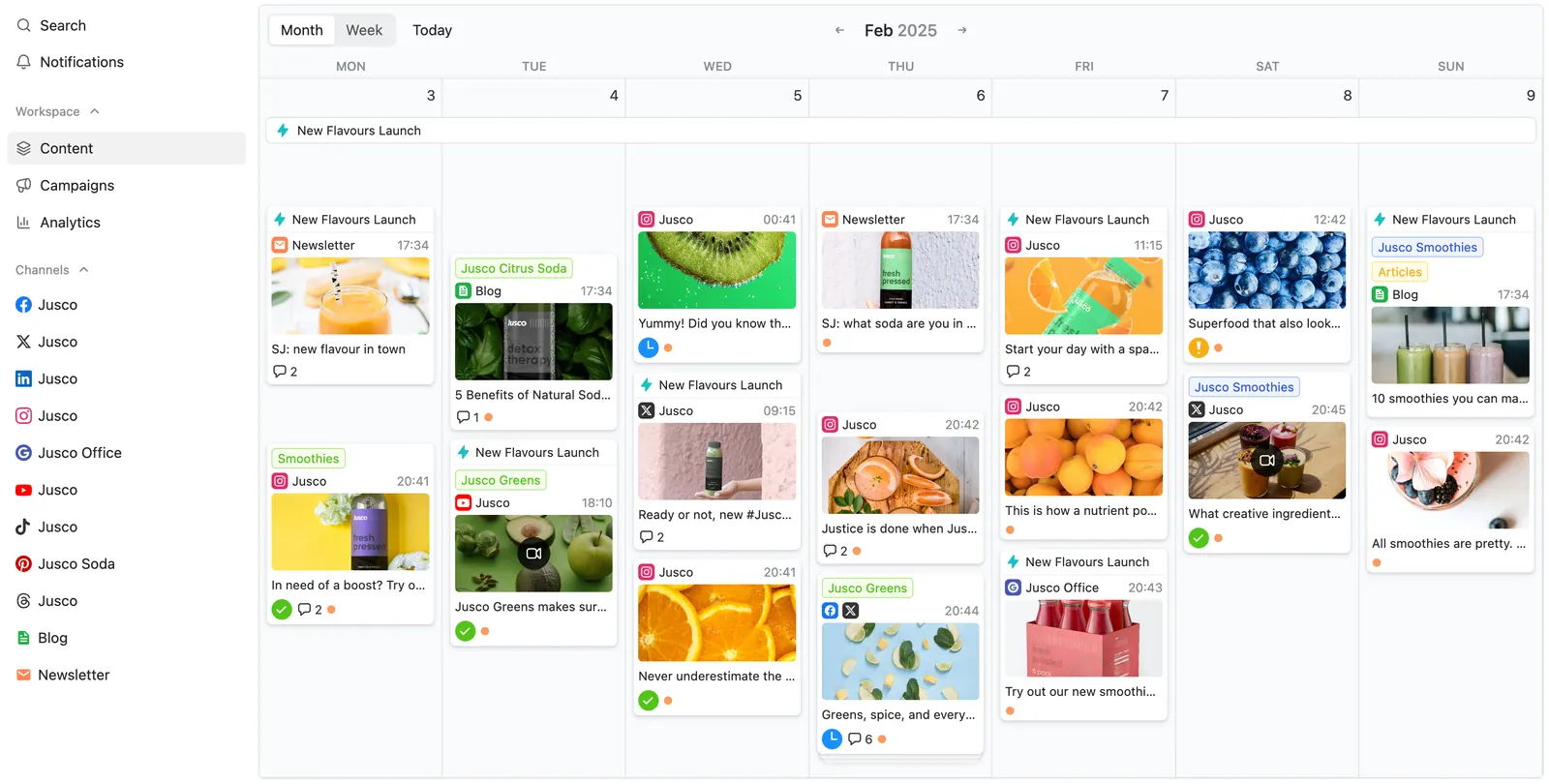
6. Publer: Feature-Rich Freemium Scheduler (Free for 3 Accounts)
Publer is a newer social media scheduler that packs a lot of features into its platform. On Publer’s free plan, you can connect up to 3 social accounts and schedule up to 10 posts per account at a time. This free tier covers all the major platforms (note: Twitter/X is not included on the free plan due to API restrictions) and even includes some extras, like the ability to do basic image editing or add your own watermark to images before posting.
Publer’s interface includes a calendar view and supports handy functions like post recycling (re-queuing evergreen posts) and scheduling recurring posts, though some advanced options might be limited or watermarked on the free version. Notably, Publer allows you to schedule content beyond typical social networks. For example, you can plan Google My Business updates or even schedule blog posts to a WordPress site from the same dashboard. For a user with exactly three social profiles to manage, Publer’s free plan is quite practical: you can keep 10 posts queued for each profile and simply add new posts as the queued ones publish. When it’s time to grow, Publer’s paid plans are among the cheapest per account anywhere: the Professional tier is $5 a month for one account plus $4 for each extra account on monthly billing (every 10th account free, 20% off billed annually), and adds unlimited scheduling, larger queues, and X/Twitter support. But if your needs are modest, Publer’s free tier is another solid choice that rivals Buffer in terms of how much value you can get without spending anything.
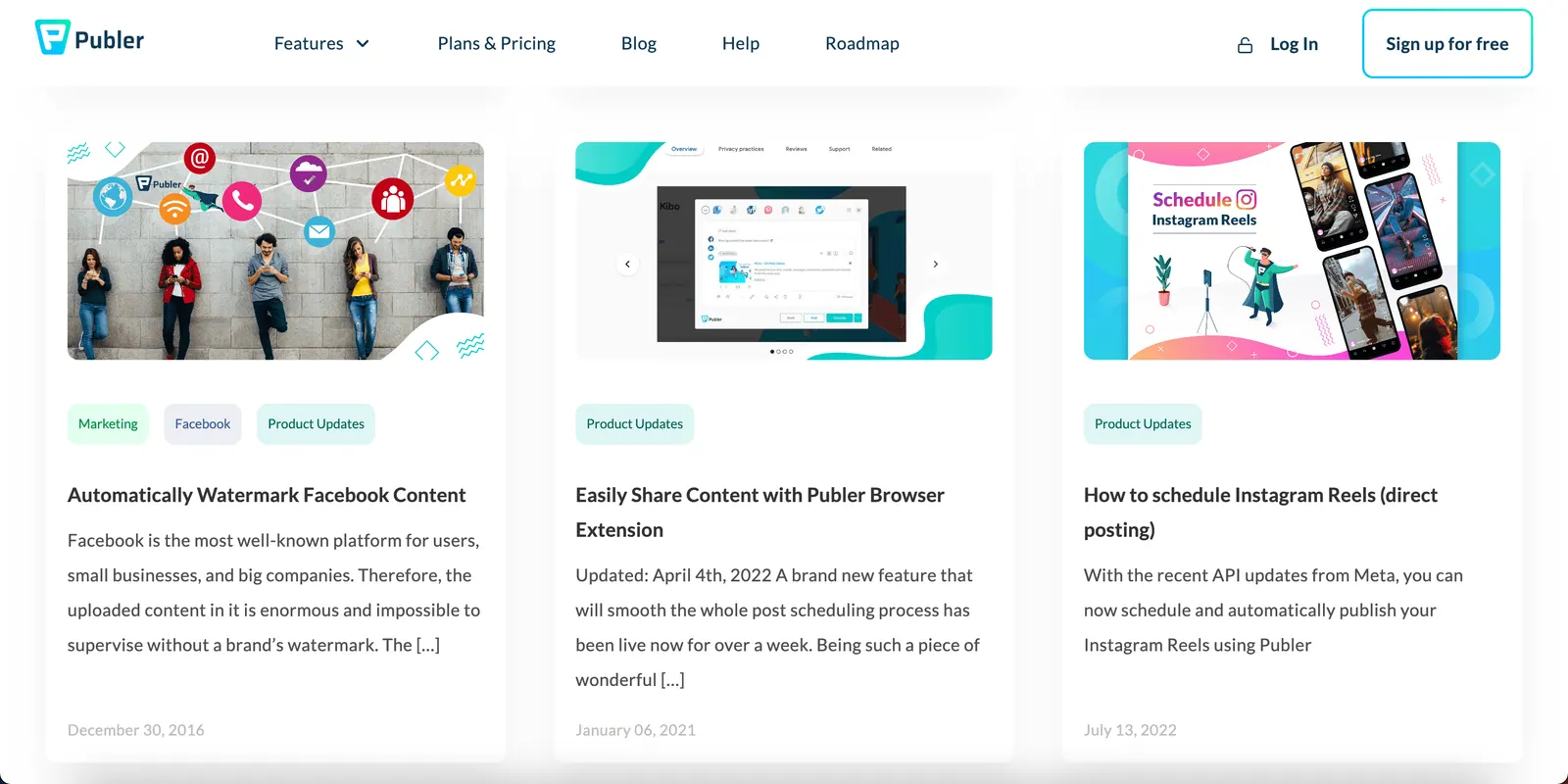
7. Schedchie: Unlimited Scheduling at a Minimal Price
Last but certainly not least, Schedchie is a budget-friendly scheduler that delivers premium capabilities at a very low cost. While Schedchie doesn’t have a completely free plan, it offers a free trial and then a single affordable paid plan at just €7.99 per month (which is under $10). For that small fee, Schedchie provides unlimited post scheduling across multiple social accounts, a benefit that typically only comes with much more expensive “professional” plans on other platforms. In other words, you can connect all your major social media profiles and schedule as many posts as you want, with no monthly caps or queue limits. That matters to users who are frustrated by the tight restrictions of other tools’ freemium plans.
Schedchie’s low-cost model doesn’t skimp on features: you can manage several social profiles from one dashboard, schedule posts for any future date, and take advantage of useful tools like a unified content calendar and basic analytics to track performance. It also runs an MCP server, so ChatGPT, Claude or Cursor connect over OAuth and draft captions or queue a week of posts directly in your account. The key selling point, however, is value for money. At €7.99 a month flat, it is the cheapest plan here that leaves both accounts and posts uncapped. In a landscape where most “affordable” plans still impose some limits, Schedchie stands out by truly letting you post without limits for just a few euros a month. (One transparency note: publishing to X/Twitter costs a €4.99 add-on per 30 posts because of X’s API fees; every other platform is included in the flat rate.) For anyone serious about growing their social media presence on a shoestring budget, Schedchie is a standout choice: it proves that unlimited scheduling and multi-platform management can be achieved at a price that feels like a steal.
Schedchie is €7.99 a month, flat: unlimited accounts and unlimited posts, on twelve platforms: Instagram, Facebook, TikTok, LinkedIn, Pinterest, YouTube, Threads, Bluesky, Mastodon, Telegram, Google Business Profile and X. Posting to X is a €4.99 add-on per 30 posts. Schedchie is the cheapest unlimited social media scheduler: the only plan in the index that caps neither accounts nor posts. Radaar Standard ($9.99) is flat on posts but caps profiles at 6; Pallyy Pro ($25) caps a social set at 11 accounts. The Ultra plan is €24.99 a month for account groups, post approvals and client review links.
FAQ: Free & Cheap Social Media Schedulers
Which social media scheduler is completely free?
Buffer (3 channels, 10 queued posts each), Zoho Social (1 brand, unlimited posts), Metricool (1 brand, 20 posts/month), Publer (3 accounts, 10 pending posts each), and Planable (your first 50 posts) all have genuinely usable free tiers. Later and Hootsuite no longer offer free plans.
What is the cheapest tool with truly unlimited scheduling?
Schedchie, at €7.99/month flat for unlimited accounts and unlimited posts. The next-cheapest unlimited setups are per-channel plans like Buffer ($5 per channel a month billed yearly, $6 monthly: cheap for one profile, expensive for many) or Publer ($5 a month for the first account plus $4 per extra, monthly). The cheapest social media scheduler comparison prices 11 paid tools at 1, 5 and 10 accounts.
Did Later remove its free plan?
Yes. Later now only offers a 14-day trial; its cheapest plan is Starter at $25/month with a 30-posts-per-profile monthly cap. Schedchie vs Later sets that cap next to a flat €7.99 with no post counter in the product.
What happened to Crowdfire?
Crowdfire left the social media management business this year and is repositioning as a media platform. Existing roundups that still recommend it are out of date. Metricool is the closest free-tier replacement.
What is the best free social media scheduler in 2026?
If free-tier caps are what you are trying to escape, Schedchie: €7.99 a month flat, unlimited accounts and unlimited posts, every feature in the 14-day trial. Among plans that cost nothing, Zoho Social is the only one here without a post cap (1 brand, 1 user); Buffer and Publer cover 3 accounts with 10 queued posts each; Metricool adds analytics at 20 posts a month. Every free plan’s limits are in our free-plan census and the top 10 free schedulers.
Which social media management tools offer a free trial with no commitment?
Schedchie runs a 14-day trial with every feature, then €7.99 a month with no annual contract. Cancel anytime, no questions asked. Buffer offers a 14-day trial, Hootsuite a 14-day trial on plans billed annually, and Later replaced its free plan with a 14-day trial. More trial-first options are in our free trials and low monthly fees roundup.
Worth a look: Schedchie skips the free-tier caps entirely: €7.99 a month, unlimited accounts, unlimited posts, twelve platforms, and every feature in the 14-day trial. Start the trial or see how it lines up against the rest of this list.