


Small businesses, freelancers, and independent marketers often need budget-friendly social media tools that still deliver strong features. The market now offers several low-cost social media scheduling platforms that let you plan and post content without a big investment. In this list, we focus on tools with generous free plans or cheap subscriptions. Each supports multiple platforms and gives you core scheduling capabilities, so you can stay active on social media without overspending. For prices at 1, 5 and 10 accounts across 11 schedulers, see our cheapest social media scheduler comparison.
1. Buffer (Free plan + from ~$6/account per month) – Buffer is a veteran in social scheduling and remains one of the best budget social media tools for starters. Its free plan lets you link up to 3 social profiles (Facebook, Instagram, Twitter/X, etc.) and queue up to 10 posts per profile. This is enough for a modest posting routine. The interface is clean and simple, with a calendar view and a mobile app so you can schedule or shuffle posts from anywhere. Buffer also includes a basic AI assistant to help draft captions and suggest hashtags.
Key perks: Truly free for small workloads; easy-to-use drag-and-drop calendar; basic post analytics.
Limitations: Free plan caps posts per profile (10 at a time), and bulk scheduling or analytics require paid tiers. Paid plans start around $6 per profile per month to unlock unlimited queues. Still, Buffer’s affordable entry point and reliability make it ideal for tiny teams or solos on a shoestring.
2. Schedchie (≈$8/month for unlimited use) – A newcomer tailored for budget users, Schedchie is all about unlimited scheduling and affordability. For a flat fee of about €7.99 (roughly $8) per month, you get unlimited posts and unlimited social accounts, which is rare at this price. Schedchie’s calendar interface covers all major networks – Instagram, Facebook, Twitter (X), TikTok, LinkedIn, and more – letting you manage everything from one dashboard.
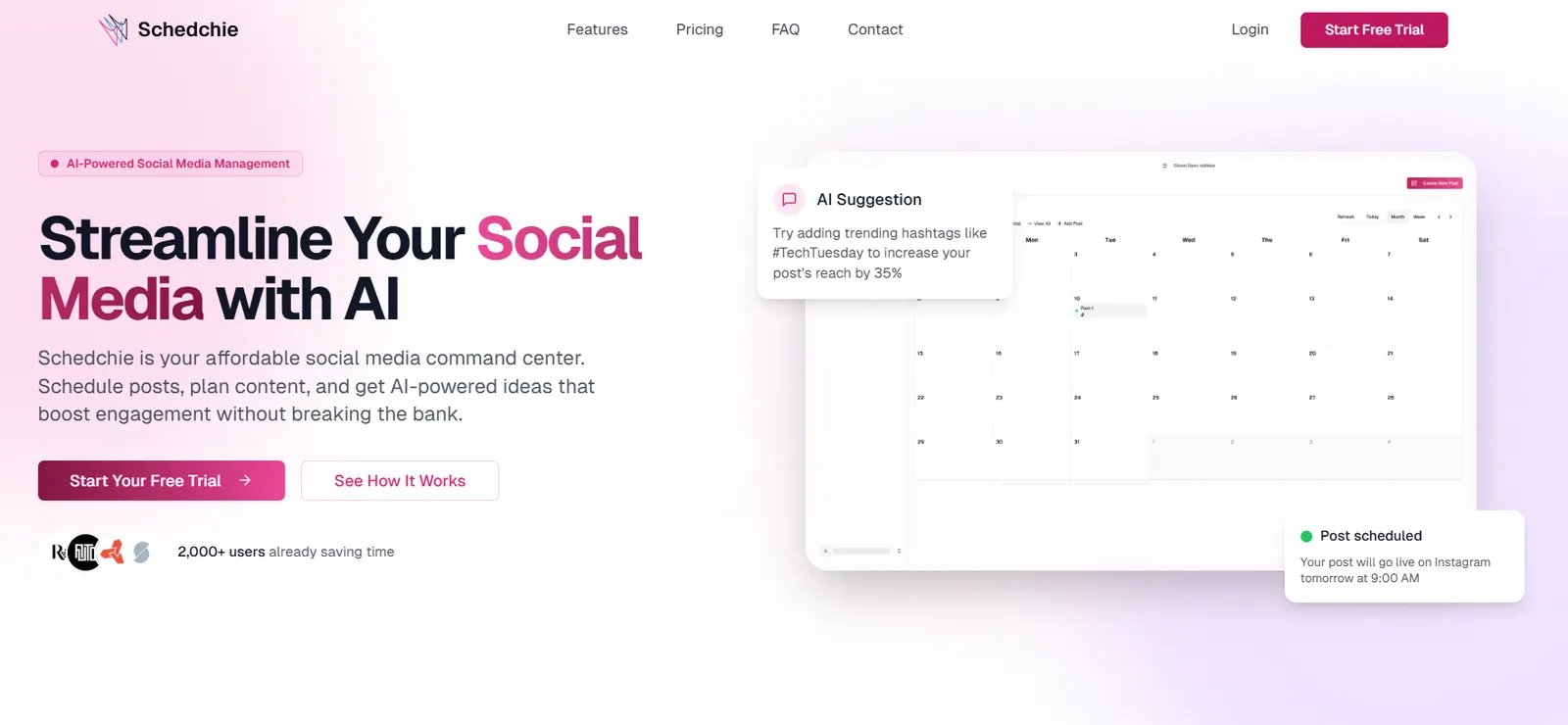
Despite being inexpensive, Schedchie covers the essentials: unlimited scheduling across every major platform, unlimited connected accounts, and one flat price. Drafting happens in your own AI assistant, which connects to Schedchie over MCP.
3. Pallyy (Free plan + $25/month) – Pallyy markets itself to visual creators but also counts as a solid affordable scheduler. Its free tier gives you one “social set” (one account per network) and up to 15 posts per month – enough to test the tool. The standout is its visual Instagram planner: a drag-and-drop grid so you can preview how your feed will look before posting. You upload images/videos into a media library and then simply schedule by dropping them on a calendar. This is great if Instagram/TikTok aesthetic matters to you.
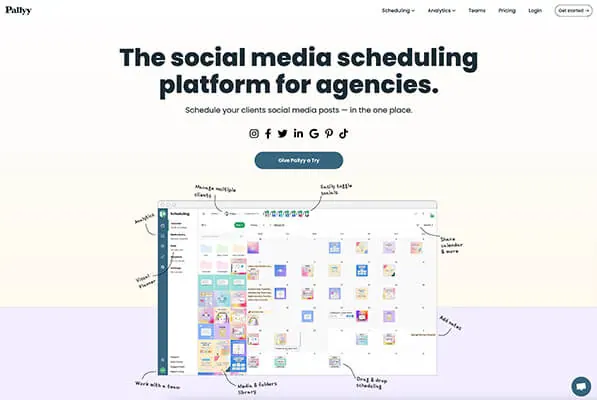
Pallyy covers Facebook, Twitter (X), LinkedIn, Pinterest, Google Business, and TikTok as well. The Pro plan ($25/month) unlocks unlimited scheduling within one full social set of up to 11 accounts, plus analytics and an AI caption generator. In other words, for $25 a month you can post without limits on one brand’s profiles. That price is still very budget-friendly for a tool with unified inbox and basic reports. It’s especially appealing if you focus on visual marketing but need general scheduling – and for a solo user, its pricing is straightforward and affordable.
4. Social Champ (Free tier + ~$5/profile/month) – Social Champ offers a remarkably flexible, pay-as-you-go model. The free plan allows up to 3 social accounts with a total of 15 posts scheduled – a quick start for anyone testing schedulers. When you upgrade, paid tiers start at only about $5 per month per social profile. In practice, that means if you manage just one or two accounts, you could pay only ~$10/month total for unlimited scheduling on those profiles. All paid plans let you queue unlimited posts (within a fair-use policy) and come with essential features like content calendar views and post analytics.
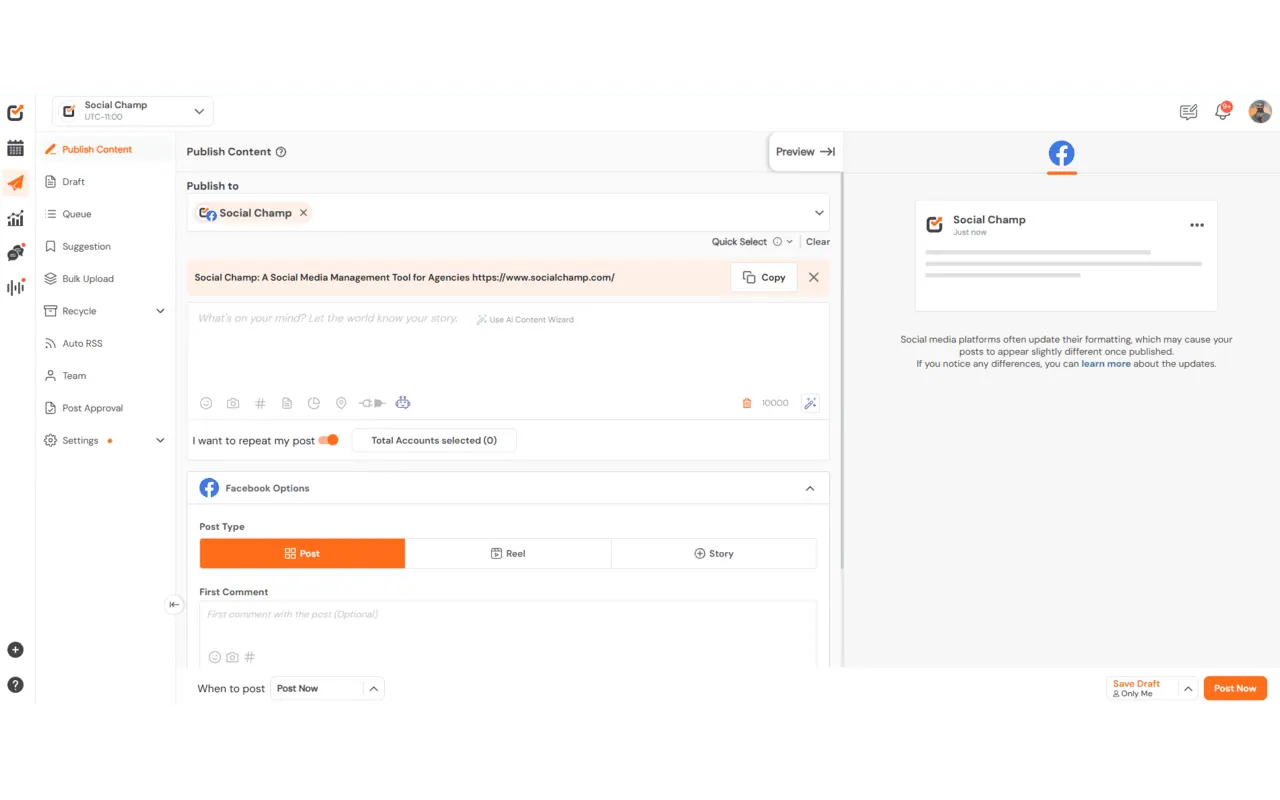
Despite the low cost, Social Champ includes some premium touches. It has Canva integration for creating graphics, a Bitly link shortener, and even ChatGPT-based AI to suggest content ideas or hashtags. Higher tiers (around $9 per profile) add team collaboration and social listening. For solo marketers or small teams handling a handful of profiles, Social Champ is a “bargain” – it packs many features of enterprise tools (inbox, analytics, basic automation) into a light package. The main catch is its per-account pricing: costs scale with the number of profiles. But for tight budgets and few channels, it’s an excellent value for unlimited scheduling and growth tools.