


Social media scheduling tools have become essential for businesses and creators to maintain a consistent presence online without having to post content manually in real-time. In 2026, there are many excellent schedulers on the market – each with different strengths, features, and price points. In this article, we’ll break down the top five social media scheduling tools of 2026 (all prices re-checked on official pricing pages, July 2026), highlighting what they offer and how they compare. By understanding the pros and cons of each tool, you can choose the scheduler that best fits your needs (and budget).
Before diving into the list, it’s worth noting some key factors to consider when choosing a social media scheduling platform: the number of social accounts you need to manage, whether the tool supports all the major networks you use, any limits on scheduled posts, collaboration features for teams, analytics and reporting capabilities, and emerging features like AI assistance for content creation. Pricing varies widely in this space – from free plans with restrictions to enterprise plans costing hundreds per month – so we’ll also compare how these tools stack up on cost.
Let’s explore the top 5 social media scheduling tools for 2026 and see how they can help streamline your social media strategy.
Three of these five meter something: Hootsuite and Sprout Social per seat, Buffer per channel. That is what decides the bill, not the sticker price.
| Tool | Cheapest paid plan | What that price covers | Free plan? |
|---|---|---|---|
| Hootsuite | $99 per user/mo | Standard, annual billing, 10 social accounts. Sold per seat, so three people is $297/mo. | No |
| Buffer | $5 per channel/mo | Essentials, billed per channel. Five channels is $25. | Yes. 3 channels, 10 scheduled posts each |
| Schedchie | €7.99/mo flat | Unlimited connected accounts and unlimited scheduled posts on 12 platforms. Posting to X is a separate €4.99 add-on per 30 posts. | No. 14-day trial with every feature |
| SocialBee | $29/mo | Bootstrap: 5 social profiles, 1 user ($24.02/mo on annual). | No |
| Sprout Social | $79 per seat/mo | Essentials on annual billing ($99 billed monthly), 5 social profiles. Sold per seat. | No |
Every figure read off each vendor’s own pricing page on 26 July 2026; each tool name links to the page it came from. Currency as each vendor displays it, unconverted. Prices move, so if one of these is wrong now, tell us and we will fix it.
 1 – Hootsuite
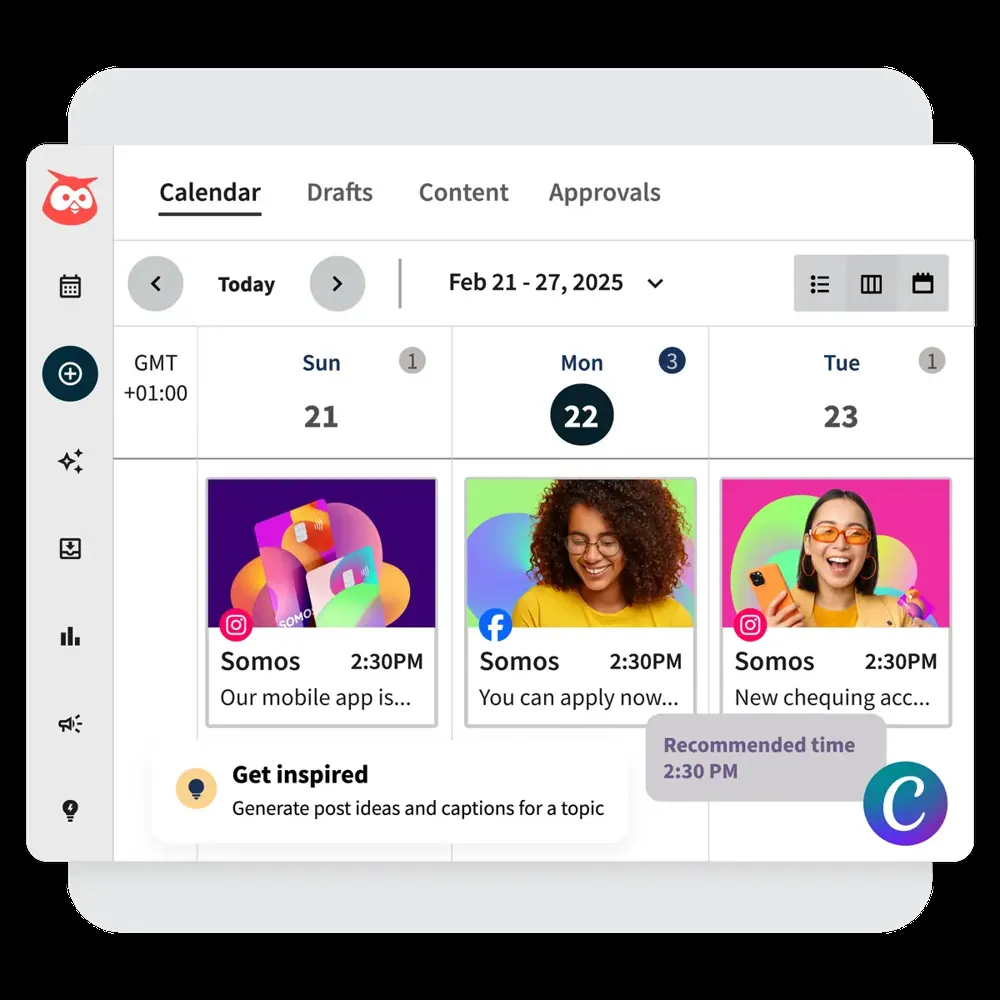
Hootsuite has long been one of the most recognized names in social media management. It’s an all-in-one platform that supports scheduling and publishing to all major social networks (Facebook, Instagram, X/Twitter, LinkedIn, YouTube, Pinterest, TikTok, and more) from a unified dashboard. Hootsuite offers powerful features for team collaboration, content curation, and analytics. In fact, Hootsuite’s dashboard includes not only a scheduler but also social listening streams, an inbox for messages, and extensive reports to measure your social performance.
One notable new addition is Hootsuite’s built-in AI assistant (sometimes referred to as “Owly”) which can help generate post captions and suggest the best times to publish content. This shows that even the established players are integrating AI to help users create engaging posts more efficiently. Hootsuite’s strength lies in its enterprise-ready feature set: you can manage campaigns at scale, assign tasks to team members, and even run social media advertising through the platform. It’s a mature tool trusted by many large organizations.
However, the biggest drawback of Hootsuite is cost. In mid-2023, Hootsuite eliminated its free plan, and its pricing became significantly higher than in the past. As of 2025, the Standard plan (suitable for a single user) is $99 per user per month (billed annually) and allows up to 10 social accounts. If you need to manage more profiles or additional features, the Professional plan supports unlimited social accounts at $199 per user per month, with the Advanced tier at $399. These plans do include unlimited scheduled posts and advanced tools, but for small businesses or individuals, the price can be prohibitive. Hootsuite’s target has shifted towards professionals, agencies, and enterprises that require robust capabilities – and have the budget to match. Smaller teams might find Hootsuite’s rich features impressive but potentially more than they need.
In summary, Hootsuite is a powerhouse scheduler with extensive features and reliability, ideal for those who need an all-in-one solution. If budget is not a concern, Hootsuite delivers top-tier functionality (from scheduling to analytics). But if you’re cost-conscious or only managing a few accounts, you may lean toward more affordable options that still cover the basics of social media scheduling.
 2 – Buffer
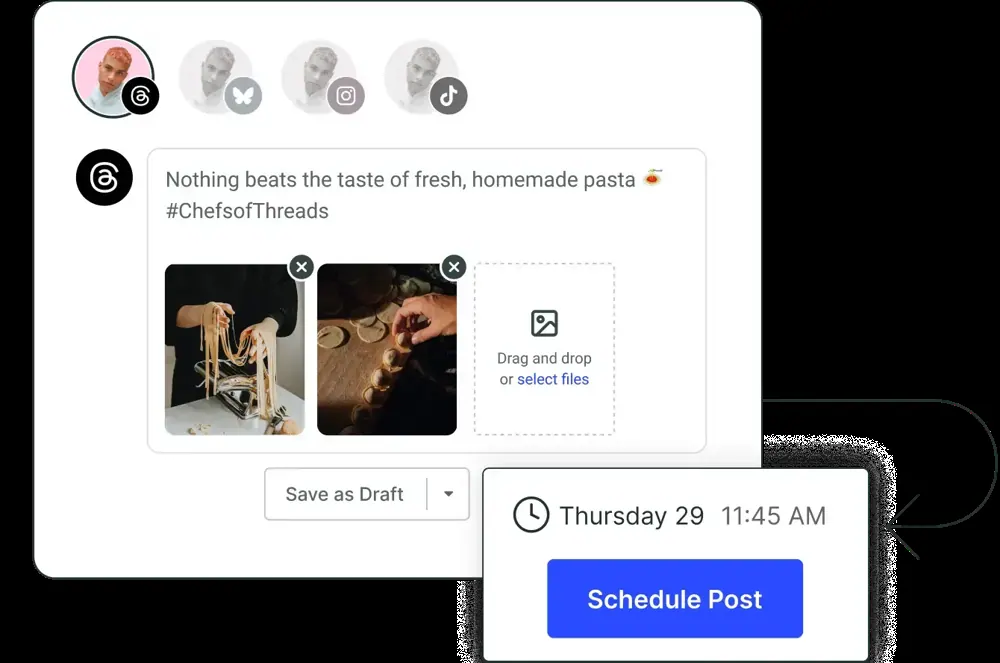
Buffer is a popular scheduling tool, especially among small businesses, solo creators, and anyone looking for a user-friendly interface. Buffer is built around a straightforward concept: you “buffer” your posts (add them to a queue) and the software publishes them at predetermined times. This queue-based scheduling is extremely convenient for maintaining a steady flow of content. Buffer supports major platforms like Facebook, Instagram, Twitter (X), LinkedIn, Pinterest, and now even emerging networks like Threads or Mastodon via integrations.
One of Buffer’s main advantages is that it offers a Free plan – something many competitors have phased out. The free plan lets you connect up to 3 social channels and schedule up to 10 posts per channel at a time. This is great for trying out the platform or for casual use. If you need more capacity, Buffer’s pricing is refreshingly flexible: it uses a per social channel pricing model. The Essentials plan costs $5 per month per social channel, with unlimited posts in your queue for those channels. For example, managing 2 social accounts would be $10/month. This à la carte approach means you pay only for what you need, which can be very affordable if you’re only on a few networks. (Buffer also has Team and Agency plans for additional users and features, but those similarly scale by channel count.)
Buffer’s feature set covers the basics very well: queue scheduling, a calendar view, basic analytics, and an AI Assistant that can help with ideas or repurposing content (a newer addition). It also offers a browser extension for quickly adding content from around the web to your Buffer queue. The interface is often praised for being clean and intuitive, making Buffer a top choice for those who don’t want a steep learning curve.
There are, of course, some limitations. Buffer’s analytics and engagement tools are more minimal compared to enterprise tools (like it doesn’t have a unified inbox or listening streams in the base product). It’s really focused on content scheduling and publishing rather than full social media management. Also, while the per-channel pricing is great for a few accounts, it could add up if you manage many profiles. For instance, handling 10 social profiles on Buffer would cost around $50/month – still cheaper than many competitors, but something to consider relative to a flat-price tool.
Overall, Buffer shines for simplicity and value. It’s best for individuals or small teams who primarily need an efficient way to plan and publish content. With Buffer, you can get a lot done at a low cost (or even free). Just be aware that as your social media needs grow more complex, you might crave some of the advanced features that Buffer’s higher-end rivals provide. But for many users, Buffer hits the sweet spot of being easy, effective, and budget-friendly.
 3 – Schedchie
Finally, we come to Schedchie – a newer entrant that is making waves by offering a lot of value at a remarkably low price. Schedchie positions itself as the “affordable social media command center” and it lives up to that tagline. The most striking benefit of Schedchie is that every plan (in fact, Schedchie essentially has a single paid plan) includes unlimited scheduling and unlimited social accounts for a flat €7.99 per month (around $8 USD). This is dramatically cheaper than virtually all competing products. For context, €7.99/month is a fraction of the cost of other tools on this list – even Buffer would charge more than that if you had just two channels on its paid plan. Schedchie’s low pricing is extremely attractive, especially to freelancers, small businesses, or social media managers who oversee many profiles and previously had to pay hefty fees per account.
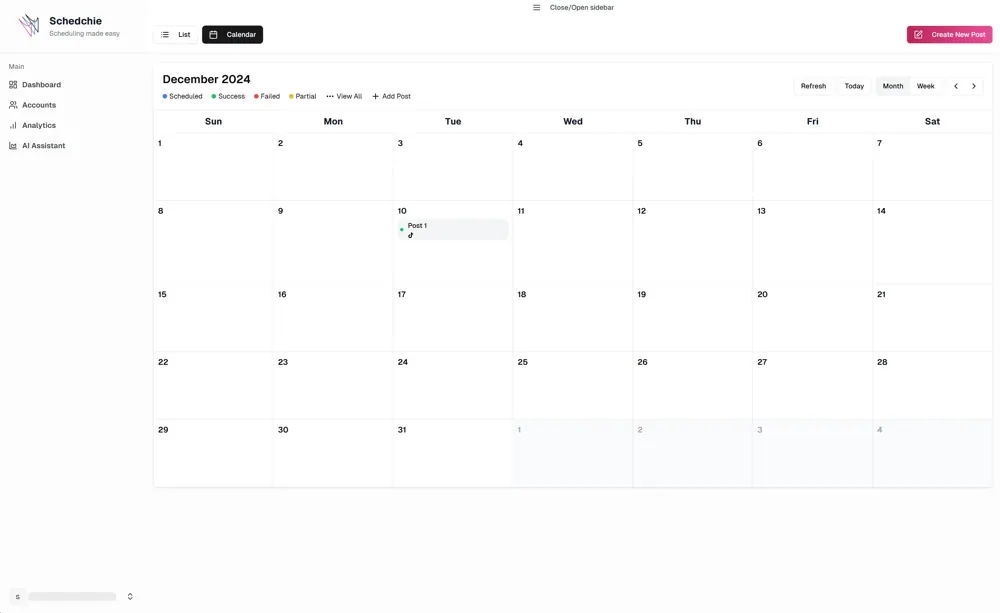
Despite the low price, Schedchie doesn’t skimp on features for core scheduling needs. It supports the major platforms (Facebook, Instagram, TikTok, Twitter/X, LinkedIn, etc.) and provides a unified calendar view to plan your posts. You can connect as many profiles as you need and schedule as far ahead as you want without worrying about hitting a limit – something that can’t be said even for some higher-priced competitors that cap the number of scheduled posts or accounts on lower tiers. Schedchie also allows you to create content, draft posts, and queue or schedule them for specific times. Its interface is streamlined and straightforward, making it easy to use.
There is no built-in AI chatbot assistant. Schedchie connects to the AI assistant you already use — ChatGPT, Claude, Cursor and others — over its MCP server, so drafting happens in your assistant and scheduling happens in Schedchie. For example, you could prompt the AI for caption ideas for a post, ask for trending hashtag suggestions, or even request guidance on what topics to post about for your niche. This is a powerful feature for users who may not have a dedicated content team – the AI can serve as a brainstorming partner and save a lot of time in content ideation. It’s like having a tiny social media consultant available 24/7 within the app.
Because Schedchie is newer, it may not have every single bell and whistle of the big platforms. For instance, its analytics and reporting are presumably more basic (it focuses on scheduling and idea generation rather than deep analytics). It also might not have large-scale team workflows or advanced social listening tools. However, Schedchie is actively improving and for most small-scale use cases, it covers the essentials more than enough. Users report that they appreciate not having to worry about how many posts they’ve queued or whether they need to upgrade just to add another client’s account – Schedchie’s unlimited approach removes that friction.
In conclusion, Schedchie offers unparalleled value for money. It’s the ideal choice if you want to manage many social accounts or just want a budget-friendly scheduler that connects to the AI assistant you already pay for. For only €7.99 a month you get unlimited accounts, unlimited scheduling, and an MCP server that your own AI assistant signs into with OAuth. There are no AI credits to top up. Schedchie is perfect for users who might have felt priced out of the premium tools. It lowers the barrier to entry, allowing anyone to implement a consistent social media schedule without breaking the bank. While larger enterprises might stick with the established players, individuals and small businesses will find Schedchie to be a hidden gem in 2026’s social media toolkit. (Transparency note: Schedchie is our product, and posting to X/Twitter requires a €4.99 add-on per 30 posts due to X’s API fees — every other platform is included in the flat €7.99.)
 4 – SocialBee
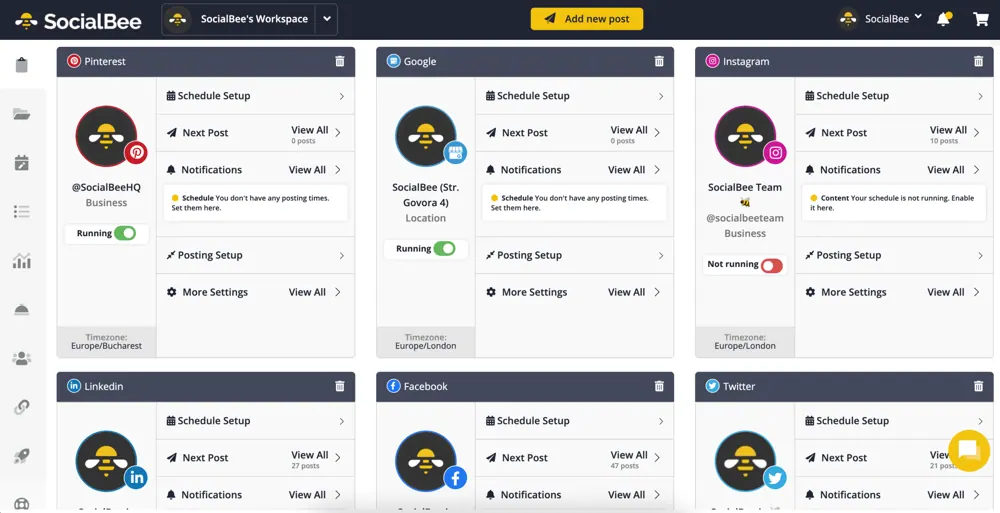
SocialBee has emerged in the last few years as a favorite “up-and-coming” social media scheduler, especially among entrepreneurs and small to mid-sized businesses. It brands itself as an affordable alternative to the bigger players, packing a lot of smart features into a more budget-friendly package. One of SocialBee’s standout features is the use of Content Categories for scheduling. Instead of just queuing posts chronologically, you can organize your posts by category (e.g., “Blog Posts”, “Quotes”, “Promotions”) and set up a repeating schedule for each category. This ensures a balanced mix of content and takes a lot of manual work off your plate – a very handy feature that not all tools offer at this level.
SocialBee supports all major social networks (including Facebook, Instagram, X/Twitter, LinkedIn, Pinterest, Google Business Profile, TikTok, and even new ones like Threads). It allows you to schedule posts (including recycling evergreen content automatically), use a visual calendar, and collaborate with team members by assigning roles. SocialBee also integrates with third-party tools like Canva (for designing posts) and has content curation options (like RSS feed import) to help you fill up your queue with relevant content.
Notably, SocialBee has invested in AI capabilities as well. They introduced an AI feature called the Social Media AI Assistant (Copilot), which can actually generate post ideas or even entire social media posting schedules for you based on your brand and goals. This is quite advanced – you answer a few questions about your business, and the AI suggests a content plan and drafts posts. For users who struggle with what to post, this AI Copilot can be a game-changer. In addition, you can use SocialBee’s AI tools to automatically create captions or variations of posts, similar to having a little copywriting assistant on hand.
In terms of pricing, SocialBee positions itself as affordable but it’s pricier than barebones options. Plans start at about $29/month (Bootstrap plan) for 1 user and up to 5 social profiles. Higher plans at $49 or $99/month increase the profiles and features (like more team members or workspaces for agencies). All plans allow unlimited scheduling of posts and include the core features – the differences are mainly in how many accounts or team members you need. SocialBee offers a 14-day free trial as well. Compared to something like Hootsuite’s $99 starting price, SocialBee is a bargain; compared to Schedchie (which we’ll discuss next), it’s a bit higher but you might justify it for the feature richness.
To sum up, SocialBee is an excellent middle-ground scheduler. It provides many advanced features (content categories, recycling, AI, etc.) that you typically only find in more expensive tools, yet it remains relatively accessible in terms of cost. SocialBee is a strong option for users who find Buffer too simple but aren’t ready to invest in enterprise solutions like Sprout or Hootsuite. It makes managing a content calendar much easier and can save you hours with its automation features. The inclusion of AI content generation and smart scheduling tools shows that SocialBee is keeping up with trends and helping users work smarter. The only caution is to ensure you’ll utilize these features enough to warrant the ~$29 (or more) per month – if you do, SocialBee can significantly boost your social media productivity.
 5 – Sprout Social
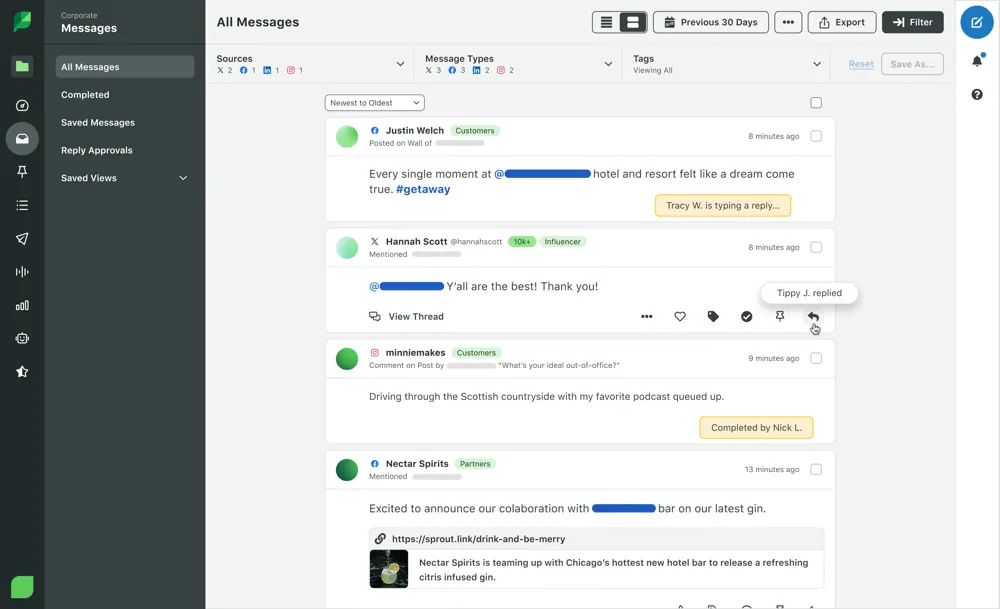
If Hootsuite is the veteran, Sprout Social is often considered the high-end luxury option in social media management. Sprout Social is a comprehensive platform used by many brands and organizations for scheduling, monitoring, and analyzing social media. It supports all the major networks and offers an array of features: multi-network scheduling, a social content calendar, robust analytics dashboards, social listening tools, customer support (inbox) features, and even employee advocacy and influencer management add-ons. Sprout’s design and user experience are frequently praised – it has a modern UI and tends to integrate new social network features quickly.
One of Sprout Social’s strengths is its collaboration capabilities and workflow tools. Teams can use Sprout to draft posts, get approvals, and coordinate campaigns seamlessly. The analytics and reporting are enterprise-grade, providing deep insights (for example, detailed engagement reports, response time metrics, competitor benchmarking, etc.). They have also incorporated AI features, like “AI Assist,” which can help with content suggestions or analyze optimal post send times, to keep up with industry trends.
However, much like Hootsuite, Sprout Social’s advanced power comes with a steep price tag. Sprout is one of the most expensive scheduling tools on the market. The Standard plan starts around $199 per user per month (billed annually) for up to 5 social profiles. The Professional plan (which includes unlimited profiles and more features) is about $299 per user/month, and the Advanced plan goes up to $399 per user/month. These plans do offer a lot – unlimited scheduling, very rich features, and top-notch support – but clearly Sprout is targeting mid-size and large businesses with bigger social media budgets. Unlike some competitors, Sprout does not have a free plan; it provides a 30-day free trial, after which you must commit to a paid subscription. New for 2026: an entry-level Essentials tier at $99 per seat/month (5 profiles) lowered Sprout’s starting price, though it’s still enterprise-priced next to the budget tools here.
For a small business or individual, Sprout Social would likely be overkill in both features and cost. But for companies that need a reliable, all-in-one social media platform and want premium features like social listening (tracking brand mentions, trends, sentiment analysis) and priority customer support, Sprout Social is an industry leader. It’s telling that Sprout often wins awards for best software in social media management – but they are aware that their main competition is at the enterprise level (they even highlight that customers rank Sprout above Hootsuite in various categories).
In summary, Sprout Social is a top-tier tool built for organizations that treat social media as a critical business function. It offers excellent performance and breadth of features. The downside is simply the high cost barrier. If you have a sizable team and budget, Sprout can unify your social media efforts in one place. If not, you’re likely better served by more affordable schedulers that cover the basics without the hefty price. Sprout Social shows what’s possible when money is no object – but for many, a leaner tool will do the job at a fraction of the cost.
 Conclusion
Choosing the right social media scheduling tool comes down to your specific needs and resources. All the tools above can save you time by letting you plan content in advance and maintain a steady posting schedule. If you need top-of-the-line features and have a team (and budget), options like Hootsuite or Sprout Social will cover everything from analytics to collaboration – but you’ll pay a premium. If you prefer simplicity and a reasonable cost, Buffer or SocialBee might be more your speed, offering intuitive scheduling and helpful features like content categories or basic AI assistance. And if you’re looking for maximum value and innovative AI help without spending much, Schedchie stands out as an incredibly compelling choice, with unlimited scheduling and an MCP server that lets the AI assistant you already use do the drafting, all for a flat €7.99 a month.
By evaluating these tools’ capabilities against your goals (and trying their free trials if available), you can find the scheduler that will keep your social media presence active and your audience engaged – all while freeing you up from the grind of manual posting. Here’s to working smarter on social media in 2026!
FAQ: Top Scheduling Tools in 2026
What is the best social media scheduling tool in 2026?
For most individuals and small businesses, Schedchie offers the strongest value: unlimited accounts and posts for a flat €7.99/month. Buffer is best for one or two channels ($5/channel/month), SocialBee for content-category automation ($29/month), and Hootsuite or Sprout Social for enterprise teams with enterprise budgets ($99+ per user/month).
How much should I pay for a social media scheduler?
Solo creators and small businesses shouldn’t need to spend more than €8–$29/month in 2026. Enterprise pricing ($99–$399 per user/month) buys approval workflows, listening tools, and deep analytics — features most small teams never use.