


Automating your social media can be a game-changer for small businesses with limited time and money. Instead of manually posting every day or hiring extra staff, the right strategies let you maintain an active online presence without breaking the bank. Below we explore five practical tips to streamline your social media marketing on a tight budget. These tips will help you save time, stay consistent, and get the most out of each piece of content.
1. Use Free or Affordable Scheduling Tools
One of the easiest ways to automate on a budget is by leveraging free plans and low-cost tools for scheduling posts. Platforms like Buffer offer a generous free tier (connect up to 3 social accounts and schedule 10 posts per profile) – enough to cover a week or two of content for a very small business. This means you can line up posts in advance at no cost. If you need more, Buffer’s paid plan starts at only $6 per month per social channel for unlimited posts. Other tools such as Hootsuite (once free, now starting around $99/month) are more enterprise-level and likely overkill for a tight budget. Instead, also explore newer affordable options like Schedchie, which provides unlimited scheduling for a flat €7.99/month. Many social platforms even have built-in schedulers (e.g. Facebook’s Creator Studio/Business Suite) that let you post later for free. By taking advantage of these free and cheap scheduling tools, you can automate your posting calendar without hiring help or investing in expensive software.
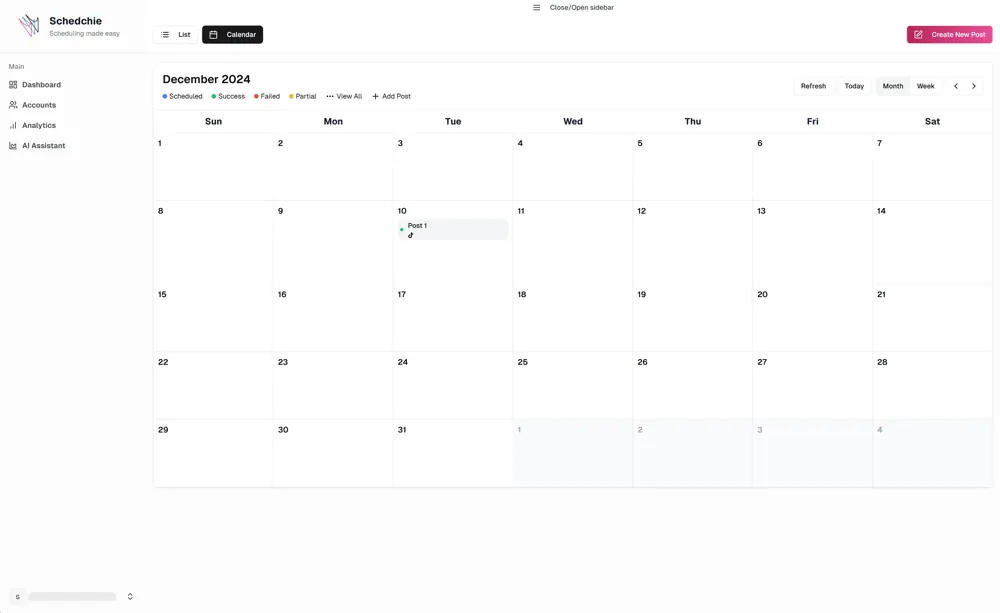
2. Plan Content in Batches and Use a Calendar
Adopt a “set it and forget it” approach by dedicating a block of time to create and schedule your content in bulk. For example, spend a few hours at the start of the month to plan out posts, then load them into your scheduler of choice. Marketing teams have found that batching work this way lets them plan an entire month of posts at once, saving valuable time while maintaining consistency. Using a content calendar (even a simple spreadsheet or a free tool’s calendar view) helps you map out what to post and when. This ensures you never miss important dates or go silent on your followers. Batching and scheduling ahead also means you’ll have a steady stream of content going out even when you’re busy with other tasks. In short, planning ahead in batches is a huge time-saver: you do the work once and your scheduling tool takes care of the rest day by day.
3. Repurpose and Recycle Your Content
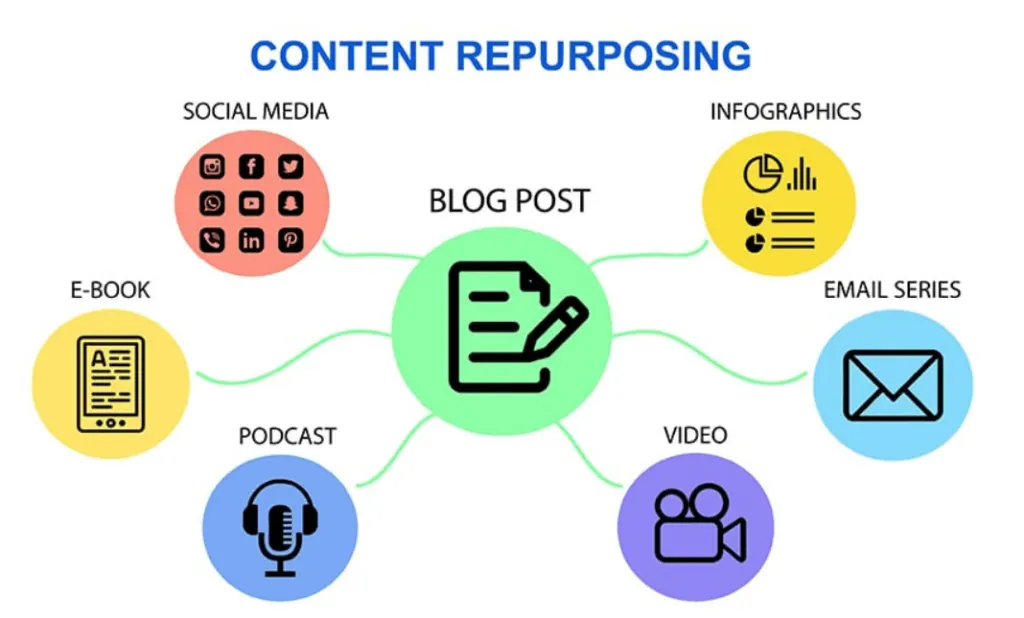
On a budget, it’s vital to get the most mileage out of everything you create. Rather than constantly starting from scratch, repurpose existing content into new social media posts. For example, turn a blog article or newsletter into a series of short tips on Twitter, an infographic for Facebook, or a quick video for Instagram. Small businesses have succeeded with this approach – taking key points from blog posts and resharing them as bite-sized social updates, which keeps channels active “without constantly creating new content”. This recycling saves both time and money, because one piece of content can fill multiple slots on your schedule. It can even boost your results: linking back to a full blog from social snippets can drive more traffic to your site (helping your SEO). Also consider content curation – sharing quality posts from others (industry news, how-to articles, etc.) – to fill your calendar gap without extra creation work. By intelligently repurposing and mixing content, you maintain an active presence with minimal budget and effort.
 4. Leverage AI Tools for Content Creation
Artificial intelligence has become an affordable assistant for small business marketers. There are AI-powered tools that can generate post ideas, write draft captions, suggest trending hashtags, and even help create graphics – many of which have free versions or trials. Integrating AI into your content creation process can significantly cut down the time spent brainstorming and drafting posts. For instance, AI writing assistants can produce an engaging caption or tweet in seconds, which you can then tweak to add a human touch. Using AI this way boosted efficiency for one team, allowing them to maintain a steady stream of content and **saving the cost of hiring extra content creators. Some social media platforms have built-in AI content suggestions. Schedchie takes a different route: it connects to ChatGPT or Claude over MCP, so you can ask your own assistant for the captions and have them scheduled in the same conversation. Remember to keep a human eye on the output – you want to stay on-brand and authentic. But when used wisely, AI tools act like a creative partner that automates the heavy lifting of content creation, so you can focus on strategy and interaction. The result is consistent engagement with less manual effrot.
5. Automate Cross-Posting and Routine Tasks
Take advantage of integrations and automation workflows to let technology handle the tedious parts of social media. For example, connect your blog’s RSS feed to your social accounts using a service like Zapier or IFTTT – this way, every time you publish a blog post, it can automatically get added to your social queue or posted for you. Many scheduling tools support such integrations natively or via plugins (e.g., auto-post your Instagram content to Facebook, or share your latest YouTube video to Twitter without manual intervention). You can also set up automated responses for common inquiries – Facebook and Instagram allow auto-replies to messages or comments, which can handle basic FAQs when you’re not online. While direct engagement should not be fully automated, using chatbots or quick-reply templates for initial customer messages can save you time. Analytics is another area to automate: instead of manually checking each platform, use free tools (like Twitter Analytics, Facebook Insights, or Google Analytics social reports) to get scheduled email reports on your performance. In short, identify any repetitive task – whether it’s posting, sharing, or reporting – and see if there’s an automation or integration available to handle it. This ensures you maintain an active, responsive social presence even with a tiny team.
Conclusion:
Automating your social media management is absolutely doable on a small-business budget. By utilizing free or cheap scheduling tools, planning content in advance, repurposing what you have, harnessing AI, and setting up clever integrations, you can keep your social feeds active and engaging with minimal manual work. Start with one or two of the tips above that fit your situation and gradually build up your automated workflow. The goal is to let technology handle the busywork of posting and monitoring, so you can focus on interacting with your customers and growing your business. With these budget-friendly automation strategies, you’ll save time, save money, and still see your social media presence thrive.